External Camera Support
Connect your professional camera to Mini Photobooth for stunning, crisp photos
Sony DSLRs
Canon EOS DSLRs
Webcams
Most Sony DSLRs, Canon EOS DSLRs, and Webcams with USB-C streaming are fully supported. Nikon support coming soon!
How to Connect Your Camera
1
Open Mini Photobooth
2
Connect your DSLR to your iPhone/iPad with a USB cord
3
Turn on your DSLR
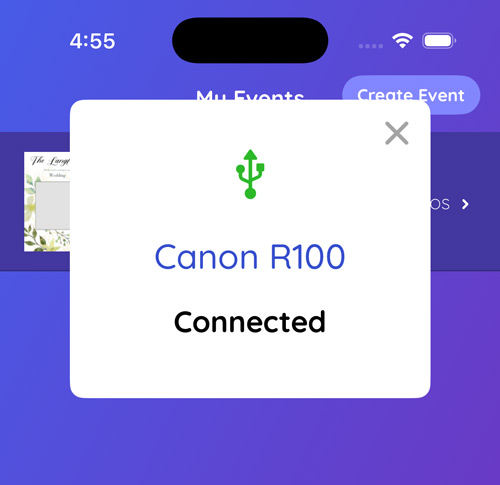
Your camera will show as connected in the app
Connection Options
| iPhone/iPad with Lightning | iPhone/iPad with USB-C | |
|---|---|---|
| Camera with USB-C | Connect with Apple AV lightning adapter | Connect with Apple AV USB-C adaptor (recommended) or Connect directly USB-C to USB-C |
| Camera with other mini/micro USB to USB-A | Connect with Apple AV lightning adapter | Connect with Apple AV USB-C adaptor |
 |  |
Camera Settings
Make sure you follow the below image capture settings for your camera for best results
- Make sure camera is saving in JPEG format only, no RAW. Do not have RAW+JPEG turned on.
- For best performance, save images as "Medium" quality, not "High" (aim for 25mb).
- Turn OFF "Auto Power Off" or "Eco Mode" on your camera.
- Turn OFF "Image Review" or "Review Duration" on your camera.
- When taking images, don't put objects too close to the camera lens (ie within a foot).
- Make sure Save to Smartphone is turned ON in your camera (if that's an option).
- If you're using a DSLR, use PC Remote/PTP as the connection, and if you're using webcam, use USB Streaming.
Adjust your zoom, focus, white balance, aperture (etc) as normal physically on your DSLR. Then take pictures by pressing the Go button within Mini Photobooth.
Troubleshooting
Camera doesn't appear as connected
- Make sure you are using the official Apple adapters and very high quality USB-A and USB-C cables. The cameras and the Apple devices are very finicky about the cables that you use.
- Make sure your camera has enough battery
iPhone/iPad shows popup warning about the camera consuming too much battery to be used
- Make sure your iPhone/iPad is plugged using the setup in the images above, where it is connect to the camera via the adapter, and the adapter is also plugged into a power source
Images are taken don't appear in Mini Photobooth
- Make sure you have Save to Smartphone turned on in your device (if that's an option)
Ready to Get Started?
Connect your professional camera and create amazing photobooth experiences
